
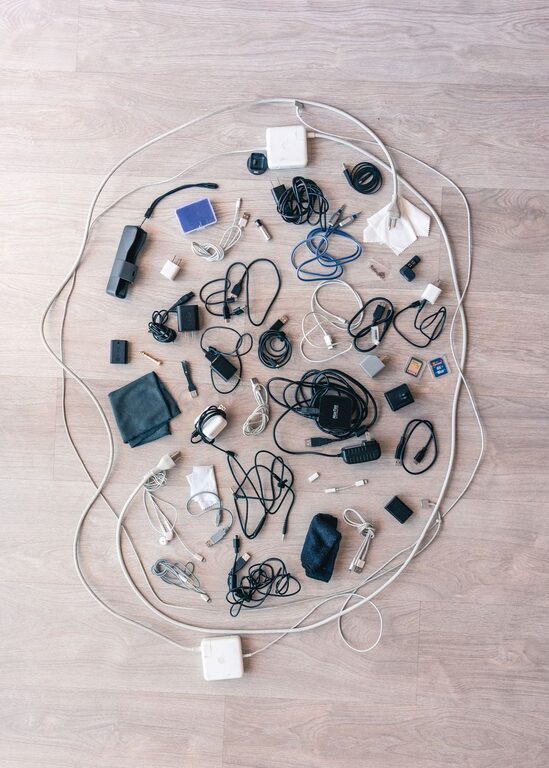
Managing cables and chargers can quickly become a frustrating task, especially as electronic devices multiply in our homes and offices. Tangled wires not only look messy but can also make it difficult to find the right charger when you need it. Fortunately, organizing cables and chargers neatly is easier than you might think. With a few simple strategies, you can create an orderly system that saves time, reduces clutter, and protects your equipment.
Why Organize Cables and Chargers?
Before diving into tips for organizing, it’s helpful to understand why it’s worth the effort:
– Saves Time: Quickly locate the cable or charger you need without untangling a mess.
– Prevents Damage: Avoids bending or breaking wires, which can shorten their lifespan.
– Enhances Safety: Reduces tripping hazards and prevents overheating with better airflow.
– Keeps Your Space Neat: A tidy area can improve focus and reduce stress.
Now, let’s explore practical methods to achieve cable and charger organization.
Assess Your Cables and Chargers
Start by gathering all your cables and chargers in one place. This step gives you a clear view of what you have and what you might no longer need.
Steps:
- **Sort by Type:** Group cables by device type (e.g., phone chargers, laptop chargers, HDMI cables).
- **Check Condition:** Discard any damaged or unused cables responsibly.
- **Label Components:** Use labels or masking tape to mark which device each cable or charger belongs to.
Labeling is particularly helpful when cables look similar but serve different purposes.
Organizing Methods and Tools
1. Use Cable Ties and Velcro Straps
Securing cables with ties prevents them from tangling.
– Opt for reusable Velcro straps for easy adjustments.
– Keep cables coiled neatly before securing.
– Group related cables together.
2. Invest in Cable Organizers
There are various products designed to keep cables tidy:
– Cable Boxes: Hide power strips and excess cable length.
– Cord Clips: Attach cables to desktops or walls to prevent slipping.
– Cable Sleeves: Encase multiple wires together for a cleaner look.
These tools can be purchased online or at electronics stores.
3. Create a Charging Station
A dedicated spot for charging devices helps keep cables centralized.
– Choose a location near a power outlet.
– Use multi-port chargers or charging docks.
– Add small containers or trays to hold devices and chargers.
This setup allows you to charge multiple devices simultaneously without loose cords scattered around.
4. Utilize Drawer Dividers or Small Containers
For cables not in everyday use, storage inside drawers can be effective.
– Use dividers to separate different cables.
– Store chargers and smaller accessories in labeled containers.
– Avoid piling cables randomly to prevent tangling.
5. Wrap Cables Properly
Proper wrapping technique extends cable life.
– Use the “over-under” method to coil cables without twists.
– Avoid tight loops that can weaken wires.
– Secure wrapped cables with ties or bands.
Tips for Maintaining Cable Organization
Organizing cables is not a one-time task. A few habits can help maintain order over time.
– Regularly Review Cables: Remove unused or obsolete cables every few months.
– Label New Cables Immediately: Prevent confusion as you add more devices.
– Keep Similar Items Together: Store cables with their matching devices.
– Avoid Excess Cable Length: Use shorter cables when possible to reduce clutter.
DIY Ideas for Cable Management
If you like a creative touch, here are some do-it-yourself options:
– Binder Clips: Use clipped binder clips along your desk edge to hold cables.
– Toilet Paper Rolls: Store cables coiled inside painted or decorated rolls.
– Magnetic Strips: Attach magnets to cables and stick them on a metal strip.
These solutions are budget-friendly and customizable.
Final Thoughts
Organizing cables and chargers neatly doesn’t have to be overwhelming. By assessing your collection, using proper tools, and establishing good habits, you can maintain a clutter-free environment. Whether you choose ready-made organizers or simple DIY hacks, the key is consistency. A well-organized setup not only looks better but also saves you time and frustration in the long run. Start small today, and enjoy the benefits of a tidy tech space!